

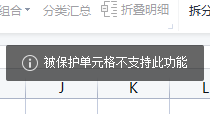
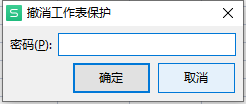
打开表格,按Alt+F11,插入->模块->粘贴以下VBA代码,点击运行(F5),弹出撤销保护对话框后,点击取消就可以编辑文件了。文章源自-https://bh8sel.com/6368.html
 文章源自-https://bh8sel.com/6368.html
Sub DeletePW() ActiveSheet.Protect DrawingObjects:=True, Contents:=True, AllowFiltering:=True ActiveSheet.Protect DrawingObjects:=False, Contents:=True, AllowFiltering:=True ActiveSheet.Protect DrawingObjects:=True, Contents:=True, AllowFiltering:=True ActiveSheet.Protect DrawingObjects:=False, Contents:=True, AllowFiltering:=True ActiveSheet.Unprotect End Sub文章源自-https://bh8sel.com/6368.html文章源自-https://bh8sel.com/6368.html